Layout
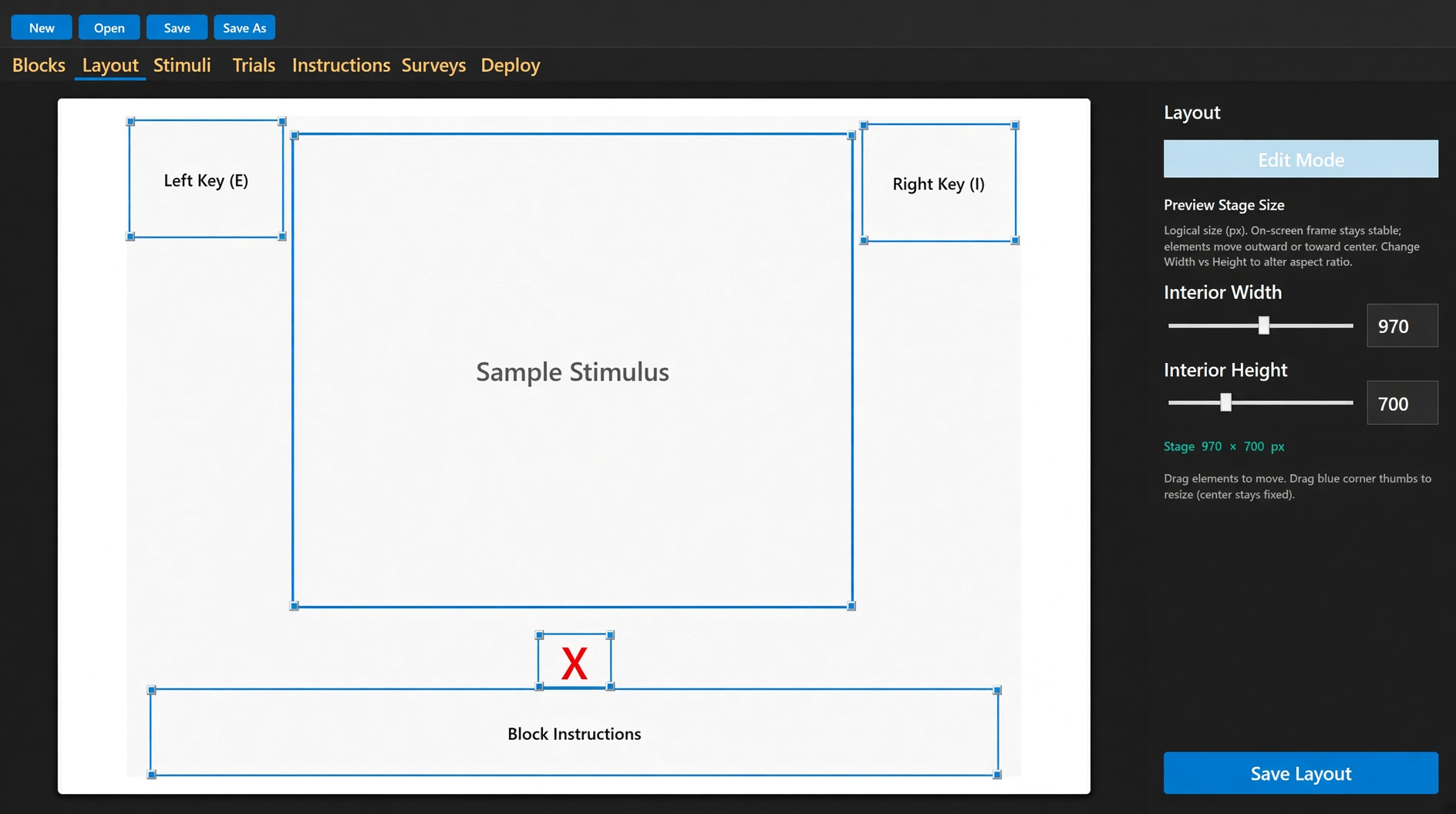
The stage is the rectangle the participant sees. Default interior is 970×700. You can change width and height. The on-screen frame stays put; the items move.
Boxes: left key, right key, stimulus, error mark, block instructions. Drag to move. Corner thumbs resize around the center. Save Layout writes the package. Deploy uses what you saved.
Images and text are fit with contain: the whole item is visible, never stretched to fill. Instruction-screen bodies sit at the top of their slot. Keys, stimuli, block instructions, and continue prompts stay centered in theirs.
Do not put words inside a stimulus image. The participant is classifying the picture, not reading a caption you hid in the pixels.